Howto: Post an Article on This Site
I. Directory Tree of This Site
The full diretories and files are listed here:
.
├── about
├── assets
├── css
├── groups
├── _includes
├── js
├── _layouts
├── _posts
├── _sass
├── schedule
├── _site
├── 404.html
├── about.md
├── _config.yml
├── index.html
├── LICENSE
├── README.md
├── robots.txt
└── sitemap.xml
You will only need to know about assets, _posts and schedule directories to post an article.
The assets is for uploaded files, like pictures, documents, tar balls and etc. The sub-directories are listed here:
.
├── doc
├── img
├── pkt
└── src
So, doc for documents like PDF files, img for pictures, pkt for compressed files and src for some pieces of code.
_posts is for all Markdown files. You must name these files as the format of YEAR-MONTH-DAY-TITLE.md. For example, this article's name is 2015-05-11-howto.md, and it will be transfered to a url like http://address/2015/05/11/howto.html, as what you can see from your browser.
There is only one Markdown file under schedule directory. If you posted an article, you might need to update the address of your post on the index.md.
II. Markdown Format
There is a good introduction here. Some other techniques might also be needed on this site, and I'll list them here.
1. How To Start a Post with This Site
You will need to create a Markdown file under _post as section I described and start it with:
---
layout: LAYOUT
title: "TITLE"
---
For example, this post starts with:
---
layout: post
title: "Howto: Post an Article on This Site"
---
2. Present a Picture on Current Page
You can include a picture directly from some link:

For example,  will be turned into:

You can also put some pictures under assets/img directory and refer to it like 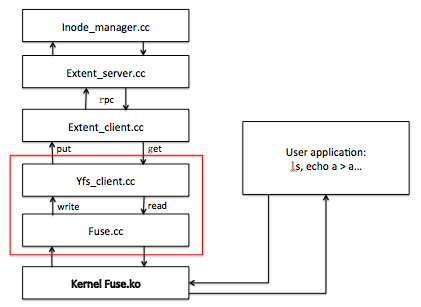, and you will get:

3. Draw a Table
First Header | Second Header
------------ | -------------
Content from cell 1 | Content from cell 2
Content in the first column | Content in the second column
will be:
| First Header | Second Header |
|---|---|
| Content from cell 1 | Content from cell 2 |
| Content in the first column | Content in the second column |
III. Deployment
To deploy this site, you need to install Ruby, jekyll gem from Ruby and NodeJS. You can install Ruby and NodeJS from your repository, install jekyll by:
gem install jekyll
Then you will get a basic environment for working. To serve, you can run jekyll serve under your project directory directly, and then you can access it with http://localhost:4000.
To generate a static site to some specific directory, you can run jekyll build -d DIR and the whole site will be generated under DIR. Reference here.
Source code here.